
You have found a stock you want to buy. The screen shows $100 a share. If you press the buy button, will you definitely buy it at $100?
No. The price can change while your order is on its way. You choose an order type based on the price you are willing to accept and on what you want to happen if the trade does not go through.
1. Placing an order is not the same as having it filled
An order is a request to your broker to buy or sell shares for you. A fill (an execution) means the trade has actually taken place. Even after you have sent an order, the trade may not have happened yet.
The latest price on the screen is the price of the last trade. It does not mean that shares are still on offer at that same price for someone who wants to buy now. The quantities and prices available to trade keep changing.
For example, even if the last trade was at $100, the lowest price anyone is currently asking to sell at might be $101. That is why you should not treat a single number on the screen as your final purchase cost.
2. Market order: you place the order without setting a price
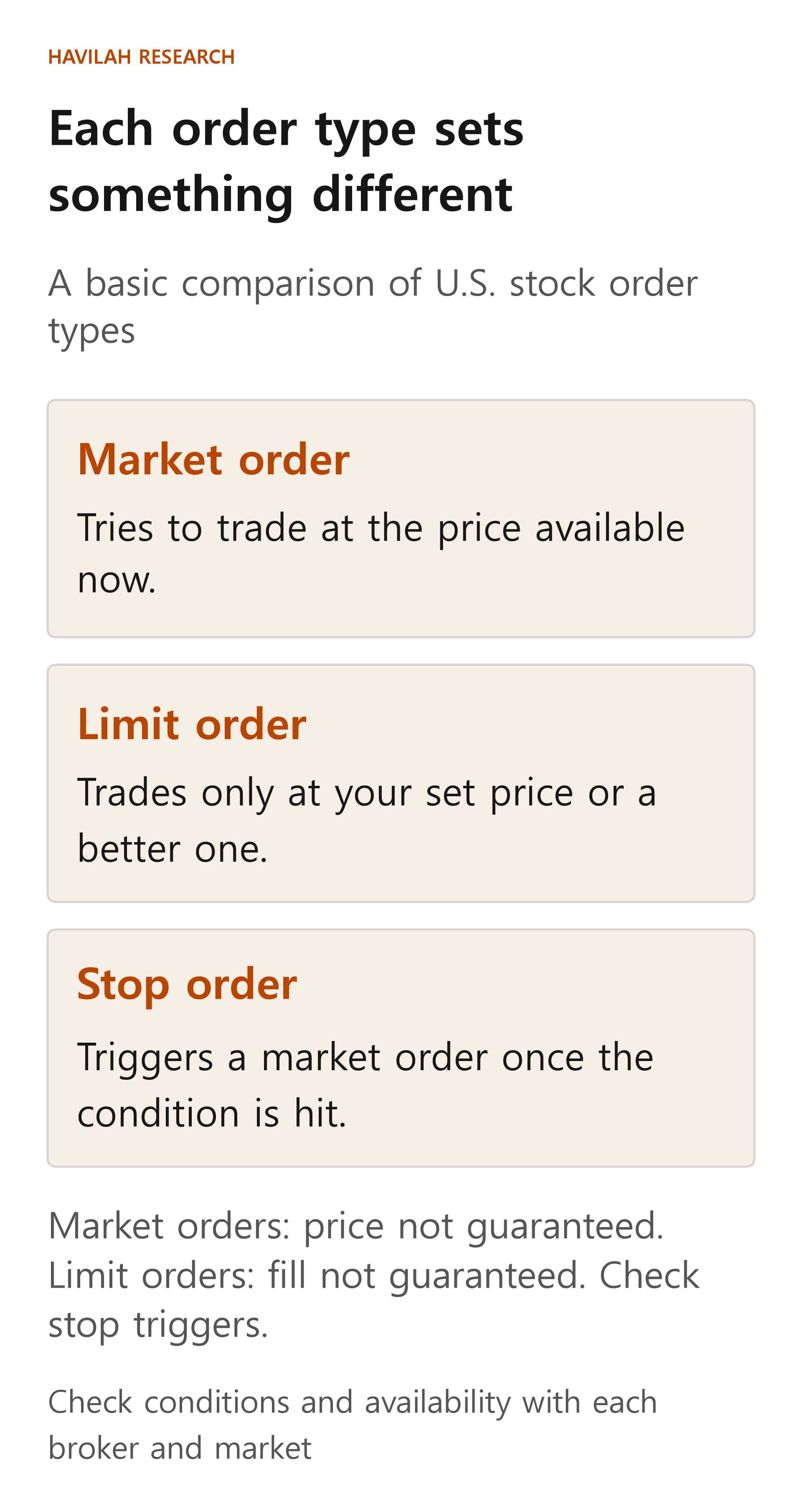
A market order is a request to buy or sell at whatever price is available right now. It is usually filled quickly, but there is no guarantee that you will trade at the price you saw. Depending on the situation, for example if there is no one to trade with or trading has been halted, it may not be filled right away.
Suppose a hypothetical stock shows $100 on your screen and you buy 5 shares with a market order. If the price changes while the order is being processed and all 5 shares are filled at $101, the shares cost 5 × $101 = $505. That is $5 more than the $500 you calculated from the screen price. This hypothetical example leaves out commissions.
If you order a large quantity, or the stock trades only rarely, there may not be enough shares at a single price. Parts of your order may then be filled at different prices. On the other hand, the fill price can also turn out better than the price you saw on the screen.
3. Limit order: you set the price you will accept
A limit order is a request to buy or sell at a price you set. If you set $100 when buying, you are saying you will buy only at $100 a share or less. If a trade at $99 is possible, your order may be filled at that lower price.
Likewise, if you set $100 when selling, you are saying you will sell only at $100 or more. Here, $100 is the limit of the price you will accept, not necessarily the price at which you will trade.
Say you place a buy limit order at $100, but no one is willing to sell at that price or lower. Your order waits. Even if the trading price briefly touches $100, your order may not be filled if the shares on offer at that price run out before your turn comes, or are not enough. When the order's time limit expires, whatever is left of the order is canceled according to its terms.
With a market order, the price can differ from what you expected; with a limit order, the trade you want may not happen. Neither one guarantees an investment return.
4. Stop order: an order is sent when a condition is met
A stop order is set up so that an order is triggered when the price reaches a condition you chose in advance. The price that sets off the order is called the stop price. Here we look at the case where the order becomes a market sell order once the condition is met.
Suppose you hold a hypothetical stock and set a sell stop price of $90. In this example, assume the order is triggered when the last trade price falls to $90 or below. Once the condition is met, it becomes a market sell order, but the price at which the shares are actually sold is not guaranteed to be $90.
If the price is falling fast, the sell order may be filled at $88 by the time it is processed. If all 5 shares are sold at $88, you receive 5 × $88 = $440. That is $10 less than $450, the simple calculation for selling 5 shares at $90. This is not a prediction of what will happen; it is an assumption to show what could happen.
So the stop price is the condition that triggers your order. It is not a price that is certain to cap your loss at a set amount. Brokers can also differ in whether they use the last trade price or quoted prices (the prices buyers and sellers are currently offering) to decide whether the condition has been met.
5. Stop-limit order: weigh the price condition against the chance of no fill
A stop-limit order becomes a limit order, not a market order, once its condition is reached. For example, if you set a sell stop price of $90 and a sell limit price of $89, you are saying that once the condition is triggered, you will sell only at $89 or more.
But if the price drops sharply and buyers will only pay $88, the order may not go through, because that price does not meet the condition of $89 or more. Nor is there any guarantee that a buyer and enough shares meeting the condition will appear later. In exchange for setting a limit on the price, you accept the possibility that you will keep holding the shares.
6. Check three things before you place an order
First, decide what matters more right now: a limit on the price, or trying to trade as quickly as possible. A market order does not guarantee an immediate fill, and a limit order does not guarantee a fill at all.
Second, look at the order's time limit and the trading hours. A broker in your country may also offer stop orders for foreign stocks. The order types you can use, the stop conditions and whether extended-hours trading is supported differ by broker and by market. Do not assume that automatic orders with similar names work the same way.
Third, after you place the order, check the filled quantity and the remaining quantity on the screen. Even if you have asked to cancel, confirm that the cancellation has actually been completed. In the next lesson, we will go through the stock name, quantity, currency and time limit on the order screen, one by one.