
You search for a company's name so that you can place an order, and several similar results come up. The names look alike, so is it fine to pick the one at the top?
Before you press the order button, first make sure that you have the company and the stock you were looking for. Then look at the quantity, the price, the currency and how long the order stays valid.
1. A ticker is a short name for finding a stock
A ticker is a short symbol that identifies a stock or another security on a trading screen. U.S. stocks are usually shown with tickers made of letters. You can find the stock you want by its ticker without typing the company's full name.
But do not place an order as soon as you see a symbol in the search results. A different company with similar letters may come up, and the same company may have several classes of shares that carry different rights. Check the company name and the share class shown in the search results together.
Even among products linked to the same company, an individual stock is different from a product that bundles many assets together. Check whether you mean to buy the company's shares or a separate investment product. Comparing the exchange and the currency as well helps you tell apart products with similar names that are listed on other markets.
2. Quantity and amount are different inputs
The quantity is how many shares you will buy or sell. The amount is how much money's worth you will order. If you mix up the two fields, you could place a much bigger order than you intended.
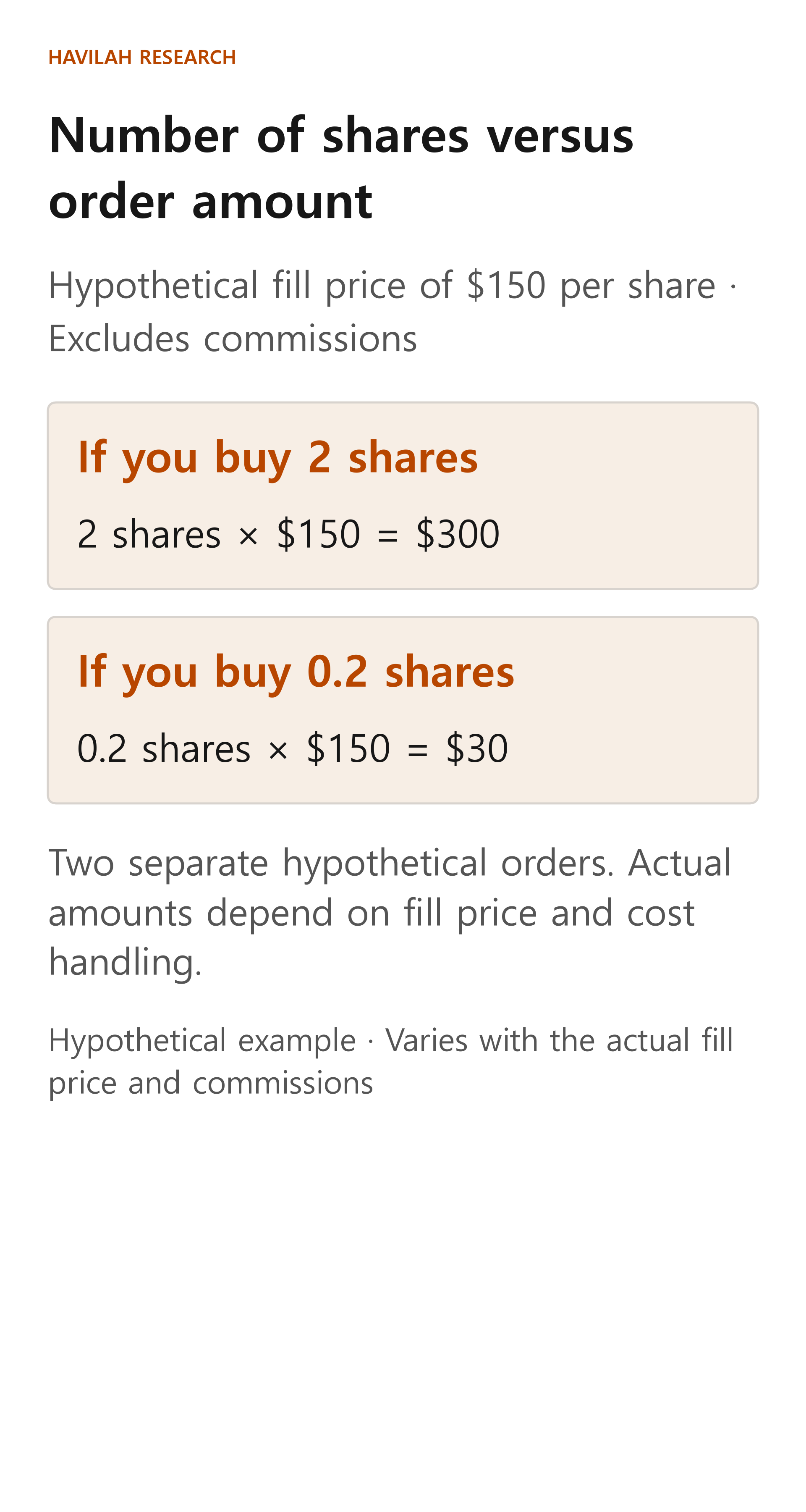
Consider a hypothetical stock priced at $150 a share. If 2 shares are both filled at $150 per share, the shares cost 2 × $150 = $300. Commissions are left out. If the actual fill price is different, the total changes too.
Some services also let you order a fractional quantity of less than one share. If 0.2 shares of the hypothetical stock are filled at $150 per share, the cost is 0.2 × $150 = $30. This calculation also leaves out commissions.
Now suppose you place an amount-based order to buy $30 worth instead. If the actual fill price is $150 per share, the quantity before commissions is 30 ÷ 150 = 0.2 shares. The actual quantity can vary with the fill price and with how costs are handled. When you place an order, check whether the field where you type 0.2 is for "number of shares" and whether the field where you type 30 is for "dollar amount."
Not every stock and not every account supports fractional-share trading. Some services process orders in real time, while others collect orders and process them later. A fractional-share service may also work by taking orders in advance, without letting you set the price yourself. Check with each service whether you can set a price, and how selling and transfers work.
3. Check the currency next to the price
If a U.S. stock is priced at $150, the number 150 does not mean 150 in your home currency. The same "150" means a different amount of money in your home currency and in dollars.
On the order screen, check the currency shown with the price per share and with the estimated order amount. If the screen also shows the amount in your home currency, see which exchange rate the estimate uses. If your account supports ordering in your home currency or automatic conversion, the actual timing of the conversion and the amount deducted follow the service's terms.
Do not assume that the estimated amount and the amount actually deducted will be the same either. With a market order, the fill price can change, and commissions and conversion terms also play a part. As you saw in the previous lessons, you need to check the record of what was actually filled.
4. How long does an order stay active?
If you placed a limit order and it has not traded, you need to know how long that order will remain open. An order's time limit is the period during which it waits for its condition to be met.
A day order on the U.S. market is generally valid for that trading day. But check your broker's or service's guidance on which trading session your order was accepted in and on the closing time that applies. Do not assume that an unfilled order automatically carries over to the next trading day or into extended-hours trading.
Some services also offer a way to keep an order open until you cancel it or until a set deadline. An order that stays open for a long time can still be executed after the price has changed, so check its time limit and whether it has been canceled. The options actually offered, and the longest period allowed, can differ from account to account.
5. Do your final check in the order history
Before you press the button, go through these one by one: the company name and ticker, the share class, whether it is a buy or a sell, the quantity or amount, the order type and time limit, and the currency. Also check that the estimated cost does not exceed the money you have.
After you press the button, check that the order was accepted and how many shares were actually filled. Even if you picked the right stock, part of the quantity can remain open until the whole order is filled. If you asked to cancel, also check that the cancellation shows as completed.
In the next lesson, we will look in more detail at what to check when only part of an order is filled or an order is still open.